Step-by-Step Dext + QuickBooks Setup (No Fuss, No Tech Headaches)

Managing receipts, invoices, and expenses doesn’t have to be a headache. By linking Dext with QuickBooks, small business owners can automate bookkeeping, save time, and ensure smooth reporting. In this guide, we’ll show you how to get started in four easy steps.
Step 1: Sign Up for Dext and QuickBooks
First, create your accounts in QuickBooks Online and Dext. Both platforms offer user-friendly guides and responsive support to help you get started quickly.
Tip: Make sure to choose the plan that fits your business needs. QuickBooks has options for sole traders, small businesses, and growing companies, while Dext scales with the number of receipts you process
Step 2: Connect Dext to QuickBooks
Once your accounts are ready, link Dext to QuickBooks. This integration allows receipts, invoices, and expense data captured in Dext to flow directly into QuickBooks, reducing manual data entry and keeping your accounts accurate.
Why it matters: A connected system saves hours every month and ensures your financial records are always up to date.
Step 3: Upload Receipts and Documents
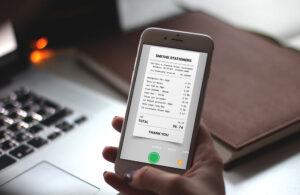
Snap photos of receipts, upload invoices, or forward emails to Dext. The platform automatically reads the details, categorizes transactions, and prepares them for review.
Pro tip: Consistently uploading receipts as you get them makes month-end reconciliation much smoother.
Step 4: Review and Reconcile
Check the categories, verify the data, and reconcile transactions with your bank accounts in QuickBooks. Once everything matches, your accounts are ready for accurate quarterly reporting.
Extra benefit: With Dext handling categorization, you reduce errors and get a clearer view of your business’s finances.
Ready to Simplify Your Accounting?
✅ Book your free setup consultation today, and we’ll handle the first setup for you. Get your digital bookkeeping system running without the stress and start saving time on your accounts.